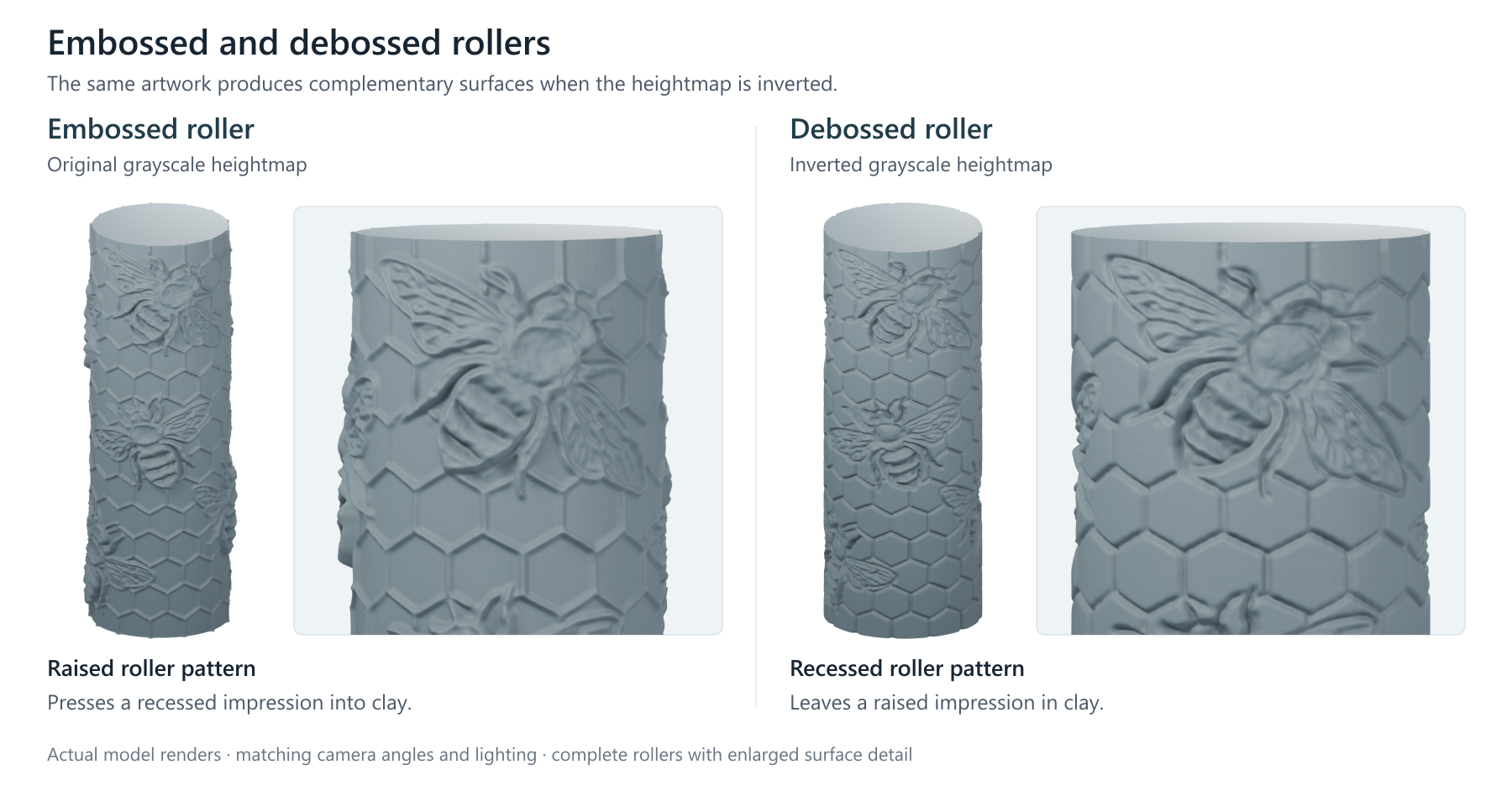
The problem
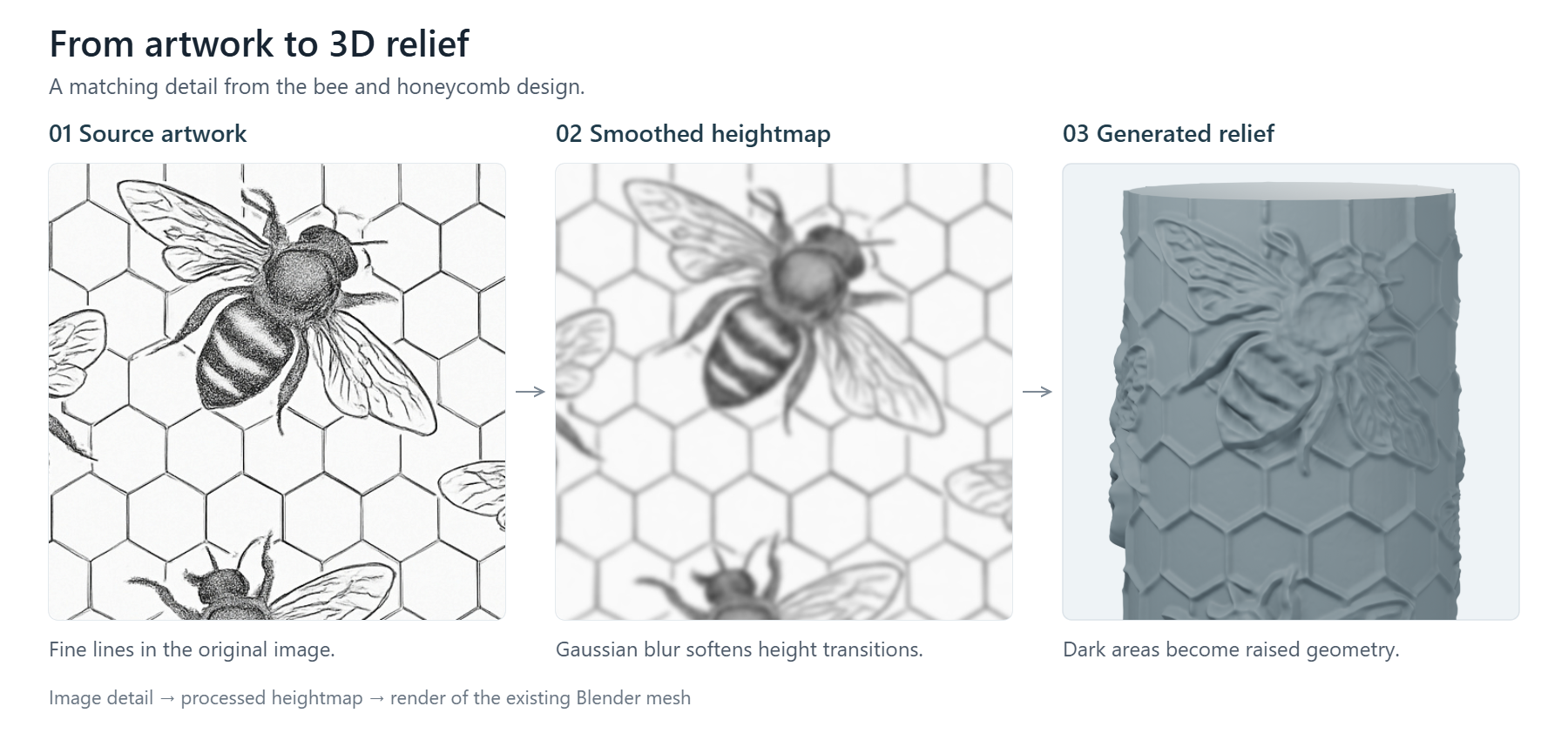
I developed a small set of 3D-printable clay roller 3D-models used for pressing designs into soft clay. The workflow required images which were transformed into height-maps Blender could interpret. This was then further processed into Blender geometry for a 3d model of a clay impression roller.
After validating the designs commercially, the manual workflow became the bottleneck. Producing dozens of designs and several resolutions of each design required repeating essentially the same sequence of UI and Blender operations.
I therefore built a Blender pipeline in python that could convert a folder of designs into marketable 3D assets automatically.
What I built
The pipeline receives source images stored within a directory and automatically processes each design through the Blender modelling workflow. For each design, it generates both .blend project files and 3D printable .STL models at two different resolutions.
The system was designed for batch execution; I was able to leave it running unattended overnight while it processed large groups of designs without requiring manual intervention. It had produced over 80GB of files which were subsequently uploaded to the cloud and deleted locally.
The project required the python script to run as a sub-process to be automatically started within blender to produce a single model. Blender was controlled in headless mode (without a GUI), which made all the processing faster and more reliable.
Outcomes
Products generated through the workflow have produced more than £1,100 in sales.
The workflow has been used to create more than 100 original clay roller designs, with additional variations of all designs.
I began by manually creating designs to validate market demand, then successfully scaled by developing an automated pipeline that allowed me to produce these files rapidly and cheaply.
Technical implementation
I implemented the workflow in Python as a procedural pipeline, organised into a sequence of clearly defined processing stages. It handles the file management in one main python process to parse the input folder, and passes responsibility to a spawned child subprocess which is designed to produce one single blender model for a single input image. This was most appropriate because it allowed the blender operations to all start from a clean and new blender workflow without risking the blender workspace being contaminated or influenced from a previous set of actions from the program. On top of this, the procedural nature of the program fell naturally out of processing each of the input designs sequentially without needing objects or entity relationships. The complexity of the project fell mainly in the blender workflow, and so it was important to keep this isolated so one mistake didn’t cascade across subsequent generated models.
The modelling stage relies on a reusable Blender template I created that stores the cylinder’s dimensions and other default settings to reduce the scope of the programmatic workflow and increase the speed of the automation program.
Embossed and debossed rollers